Dental Clinic Google Maps Thailand: Rank in the Top 3 (2026 Guide)
คลินิกทันตกรรม google maps refers to your dental clinic's visibility in Google Maps search results when Thai patients search for a dentist near them. When someone searches "คลินิกทันตกรรมใกล้ฉัน" or "ทันตแพทย์ [จังหวัด]," Google shows the top 3 local dental clinics in a "Local Pack" — with reviews, distance, and a tap-to-call button. Ranking in those 3 spots for คลินิกทันตกรรม google maps is what this guide is about.
More than 78% of Thai patients start their search for a dentist on Google Maps. Clinics in the top 3 receive 5x more new patient inquiries than those on page 2. If your dental clinic isn't showing up for คลินิกทันตกรรม google maps searches in your area, you're losing patients to competitors every single day.
Why Thai Patients Use Google Maps to Find a Dentist
Thai patients trust Google Maps for healthcare decisions more than word-of-mouth alone. The combination of star ratings, review counts, photos of the clinic interior, and proximity makes Google Maps the de facto directory for local dental services.
For คลินิกทันตกรรม google maps searches specifically, patients want to see:
- A verified, complete Google Business Profile
- 4.5+ star average with 20+ reviews in Thai
- Photos of the dental chairs, X-ray equipment, and sterilization setup
- Clear pricing for common procedures (ขูดหินปูน, อุดฟัน, จัดฟัน)
- PromptPay QR code accepted (cashless payment expected)
Step 1: Claim and Verify Your Google Business Profile
Your คลินิกทันตกรรม google maps ranking starts with a verified Google Business Profile. Without verification, your clinic won't appear in local search at all.
- Go to business.google.com
- Search for your clinic name
- Claim or create the listing
- Set primary category: Dentist (ทันตแพทย์)
- Verify via phone call or postcard — phone verification is fastest in Thailand
Once verified, fill in every available field: hours, phone, website, address, parking availability, and wheelchair access.
Step 2: Optimise Every Section of Your GBP
Primary Category: Dentist
"Dentist" (ทันตแพทย์) must be your primary category — this is the #1 ranking factor for คลินิกทันตกรรม google maps. Don't set it to "Health" or "Medical Clinic" as your primary.
Secondary Categories
Add secondary categories to capture more search variations:
- Dental Clinic
- Orthodontist (if you do จัดฟัน)
- Cosmetic Dentist (if you do ฟอกสีฟัน or ครอบฟัน)
- Pediatric Dentist (if you treat children)
Business Description (750 characters)
Write a description that includes your services and city name. Example for Bangkok:
"คลินิกทันตกรรมในกรุงเทพ บริการครบ: อุดฟัน, ถอนฟัน, จัดฟัน, ฟอกสีฟัน, รากฟันเทียม รับ PromptPay จองออนไลน์ได้ 24 ชั่วโมง ไม่ต้องรอคิว ทีมทันตแพทย์ประสบการณ์ 10+ ปี"
Services with Prices
Thai patients compare prices before choosing a dentist. List every service:
- ขูดหินปูน (scaling): ฿800-1,500
- อุดฟัน (filling): ฿500-1,500
- ถอนฟัน (extraction): ฿500-2,000
- ฟอกสีฟัน (whitening): ฿3,000-8,000
- จัดฟัน (braces): ฿25,000-60,000
Showing prices builds trust and improves conversion from คลินิกทันตกรรม google maps searches.
Step 3: Photos — The Biggest Missed Opportunity for Thai Dental Clinics
How Do Dental Clinics in Thailand Get More Patients From Google?
Dental clinics with 20+ photos on Google Maps receive 35% more profile clicks. What to upload:
- Exterior: Signage and entrance so patients can recognise the building
- Reception area: Clean, modern, welcoming
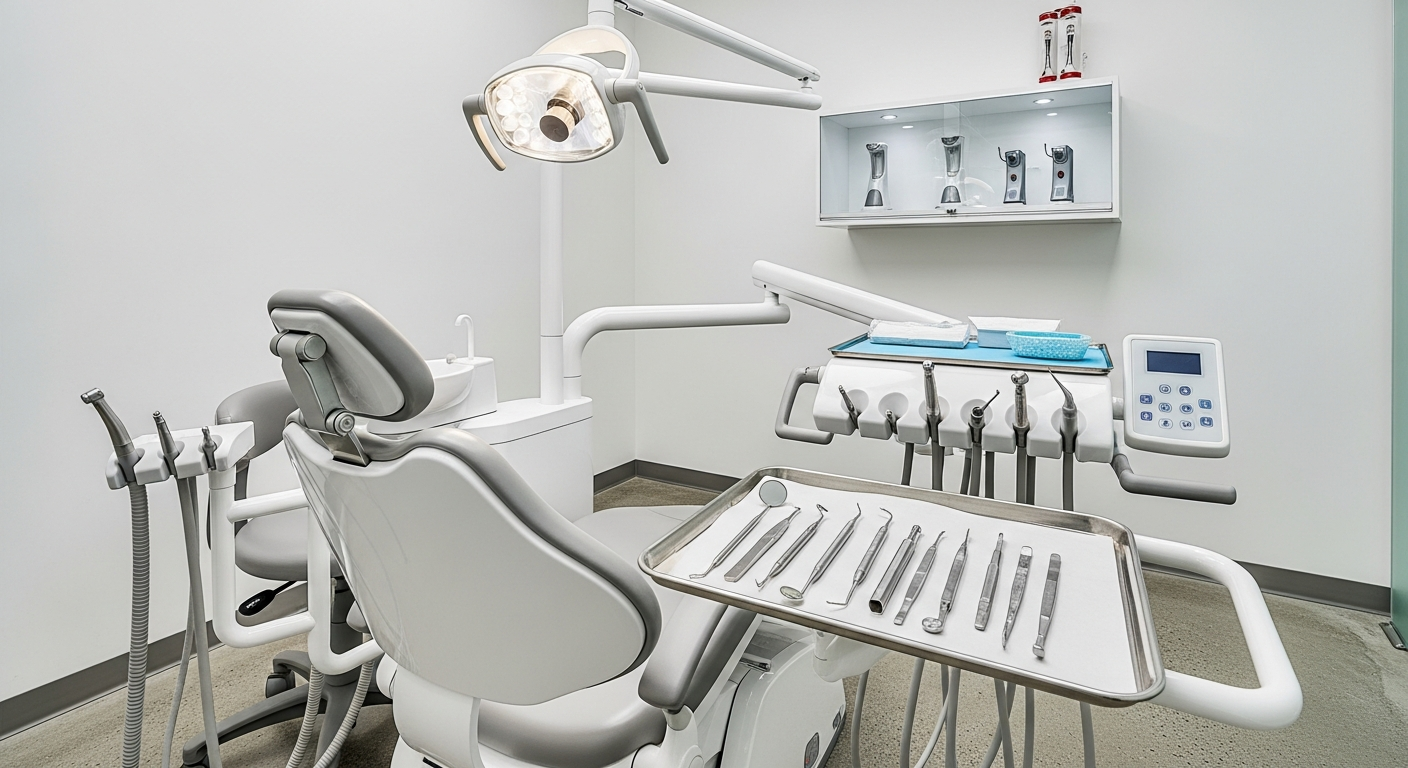
- Treatment rooms: Dental chairs, lighting, modern equipment
- Equipment: Digital X-ray machine, sterilizer cabinet, patient monitoring
- Staff photos: Dentist in work attire builds trust
- PromptPay QR displayed at counter — signals cashless readiness
Update photos every 1-2 months. Google favours active listings with fresh content.
Step 4: The Review Strategy for คลินิกทันตกรรม google maps Rankings
Reviews are the #1 ranking factor for คลินิกทันตกรรม google maps. Thai patients read reviews carefully — especially for healthcare. A clinic with 3 reviews averaging 3.8 stars loses every time to a clinic with 45 reviews averaging 4.7 stars.
The Right Moment to Ask
Ask for a review the moment treatment ends — while the patient is still in the chair checking their result in the mirror. This is peak satisfaction. A request sent by LINE 3 days later gets half the response rate.
The LINE OA Approach
Send a LINE message 2-3 hours after the appointment:
"ขอบคุณที่มาใช้บริการวันนี้ครับ/ค่ะ ถ้าพอใจการรักษา รบกวนฝากรีวิวในGoogle ด้วยได้เลย [ลิงก์] ขอบคุณมากครับ/ค่ะ 😊"
This simple follow-up via LINE increases review submission rates by 3-4x compared to verbal requests alone.
Responding to Every Review
Respond to all reviews within 24 hours:
- 5-star reviews: Thank the patient by name (e.g., "ขอบคุณคุณสมชาย มากนะครับ") and mention the service
- Negative reviews: Acknowledge, apologise briefly, and invite them to LINE for resolution — never argue publicly
Target: 50+ reviews at 4.5+ stars to rank in คลินิกทันตกรรม google maps top 3 in most Thai cities.
Step 5: PromptPay — Trust Signal for คลินิกทันตกรรม google maps
85%+ of Thai patients now expect to pay via QR Code transfer. Accepting PromptPay at your dental clinic does three things:
- Eliminates friction: No cash needed, no POS machine required, instant transfer
- Builds trust: Photo of PromptPay QR on your GBP signals a modern, legitimate business
- Enables booking confirmation: Payment-linked bookings increase commitment and reduce no-shows
Display your PromptPay QR prominently — at reception, in treatment rooms, and in your Google Business Profile photos.
Step 6: Online Booking as a Google Maps Ranking Signal
Dental clinics with online booking enabled on Google Maps receive a "Book" button on their listing — immediately differentiating them from competitors. Google treats online bookings as strong engagement signals for คลินิกทันตกรรม google maps rankings.
Additionally, Thai dental clinics see 30-40% patient no-show rates. Automated booking reminders via LINE cut this by 40-50%:
- Booking confirmation: immediate LINE message
- Reminder: 24 hours before appointment
- Post-visit: 2 hours after appointment (+ review request)
Step 7: Google Posts Keep Your คลินิกทันตกรรม google maps Listing Active
Post to your Google Business Profile at least twice per month:
- Promotions: "ขูดหินปูนฟรีสำหรับลูกค้าใหม่เดือนนี้"
- Education: "ทำไมต้องพบทันตแพทย์ทุก 6 เดือน"
- Before/After: จัดฟัน or ฟอกสีฟัน results (with patient permission)
- Seasonal: Reminders before Songkran, school opening
Active listings rank higher because Google sees them as operating businesses, not closed or abandoned ones.
Suriya: Automation for Thai Dental Clinics
Manually managing GBP, sending LINE review requests, and running an online booking calendar is a full-time job that dental clinic owners don't have time for between treatments. Suriya automates the entire system:
What Suriya does for your dental clinic:
- Online booking linked to Google Maps and LINE OA
- PromptPay QR payment integration — no EDC machine, no transaction fees
- Automated LINE after every visit requesting a Google review
- Appointment reminders that cut no-shows by 40-50%
- 6-month recall system — auto-LINE patients to book their next checkup
Dental clinics in Thailand using Suriya triple their Google review count within 90 days — enough to move into the top 3 คลินิกทันตกรรม google maps results in most areas.
สร้างแอปคลินิกทันตกรรมกรุงเทพ | คลินิกทันตกรรมเชียงใหม่
The 90-Day คลินิกทันตกรรม google maps Ranking Timeline
- Month 1: Verify GBP, complete all fields, add 20+ photos, start collecting reviews daily
- Month 2: 15-25 reviews collected, post twice to Google Posts, enable online booking
- Month 3: 40+ reviews at 4.5+, rank in top 3 คลินิกทันตกรรม google maps in your area
Quick-Start Checklist for Thai Dental Clinics
- Claim and verify Google Business Profile
- Primary category: Dentist (ทันตแพทย์)
- Write 750-character description with city name
- List all services with prices
- Upload 20+ photos (exterior, interior, equipment, staff)
- Enable online booking
- Ask every patient for a Google review after treatment
- Send LINE follow-up with review link 2-3 hours after visit
- Post twice monthly to Google Business Profile
- Accept PromptPay QR — no EDC needed
- Track your คลินิกทันตกรรม google maps ranking monthly
Suriya helps dental clinics in Thailand automate Google reviews, online bookings, and LINE OA follow-ups. Setup takes 10 minutes. Starting from ฿990/month with a 14-day free trial.